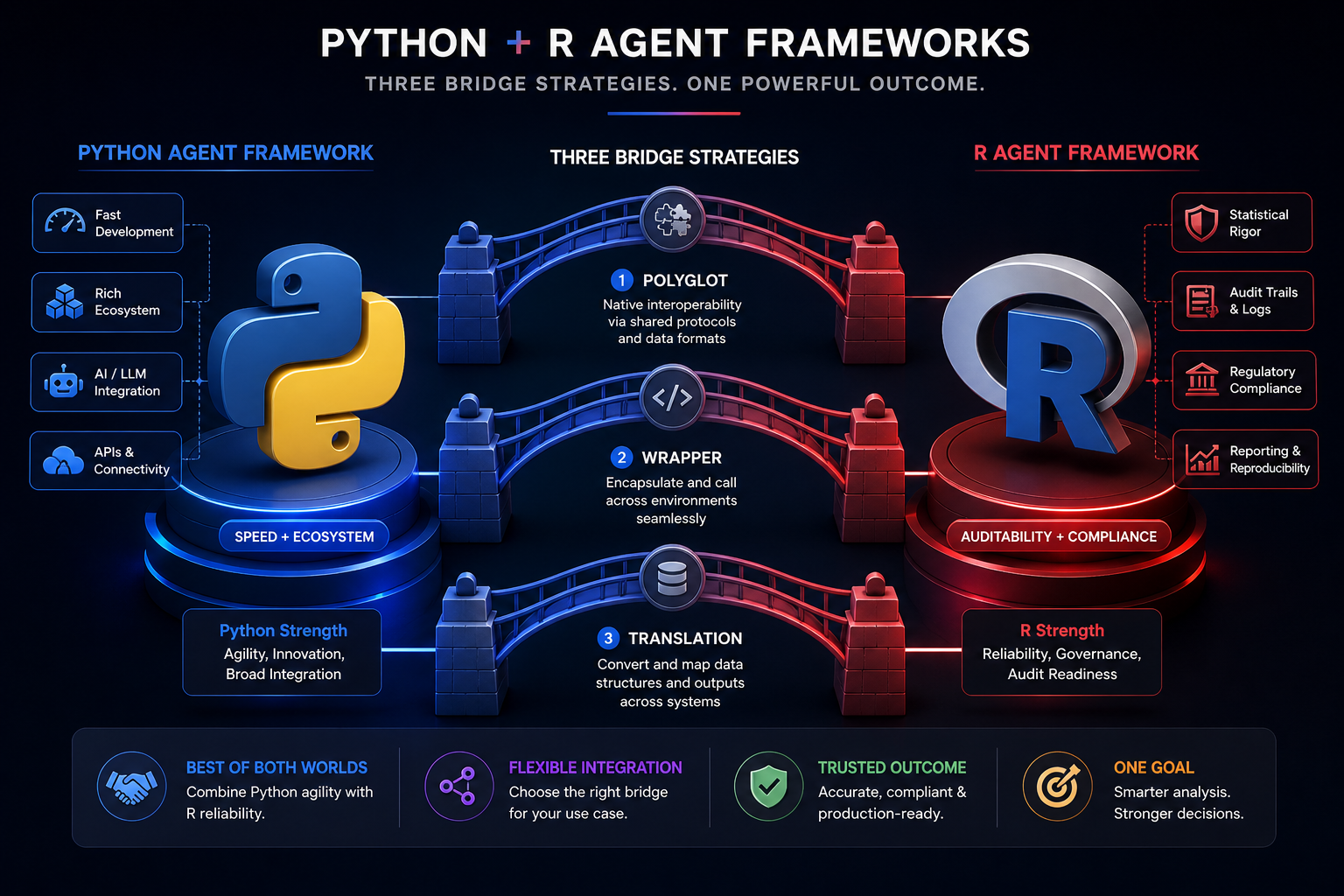

The Agent Framework Gap: Part 4 — The Trade-Off and How to Bridge It
In Part 3, we looked at why the gap exists. Timeline, culture, funding, functional programming. There’s no “better” framework. There’s only what you’re willing to trade.
And more importantly: you don’t have to choose one or the other.
If you read Parts 2 and 3, you already know the trade-offs:
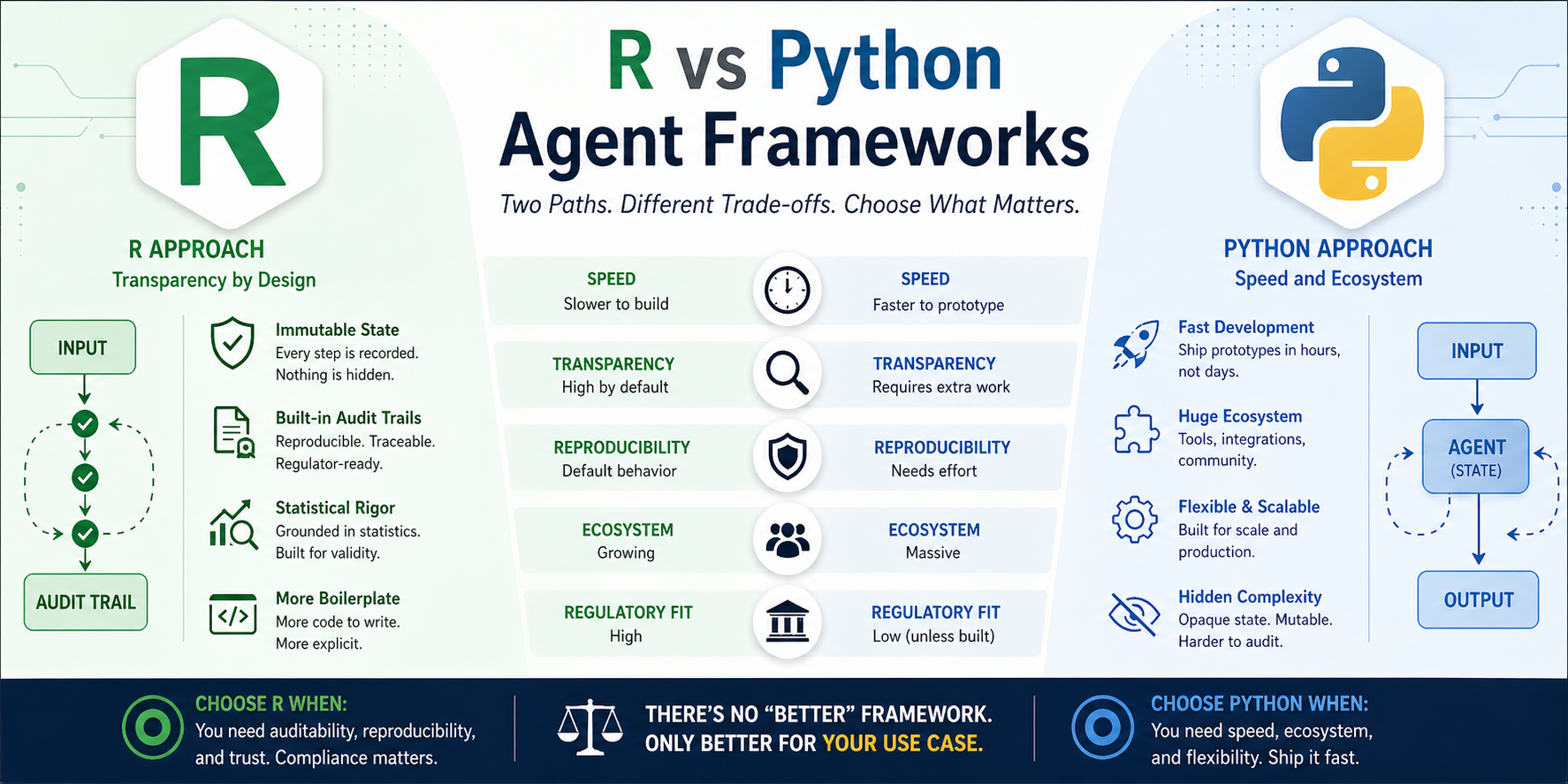
- Python gives you speed and ecosystem, but opaque mutable state
- R gives you auditability and functional purity, but more boilerplate
Let’s skip the recap and get to the actual patterns teams use in production.
The Cost Matrix (TL;DR)
| Factor | Python Agent | R Agent |
|---|---|---|
| Time to first prototype | 1-2 hours | 1-2 days |
| Time to production | 2-4 weeks | 4-8 weeks |
| Audit trail effort | Add logging manually | Built-in by design |
| Reproducibility | Requires extra work | Default behavior |
| Debugging complexity | High (hidden state) | Low (explicit state) |
| Team learning curve | Low (everyone knows OOP) | Medium (functional is new) |
| Ecosystem support | Massive | Growing |
| Regulatory readiness | Low (unless you build it) | High (by design) |
- Python wins when you need speed, ecosystem, and don’t need to prove what happened.
- R wins when you need auditability, reproducibility, and can afford the extra development time.
How Teams Are Actually Bridging the Gap
Here’s what I’m seeing in production (pharma, healthcare, finance):
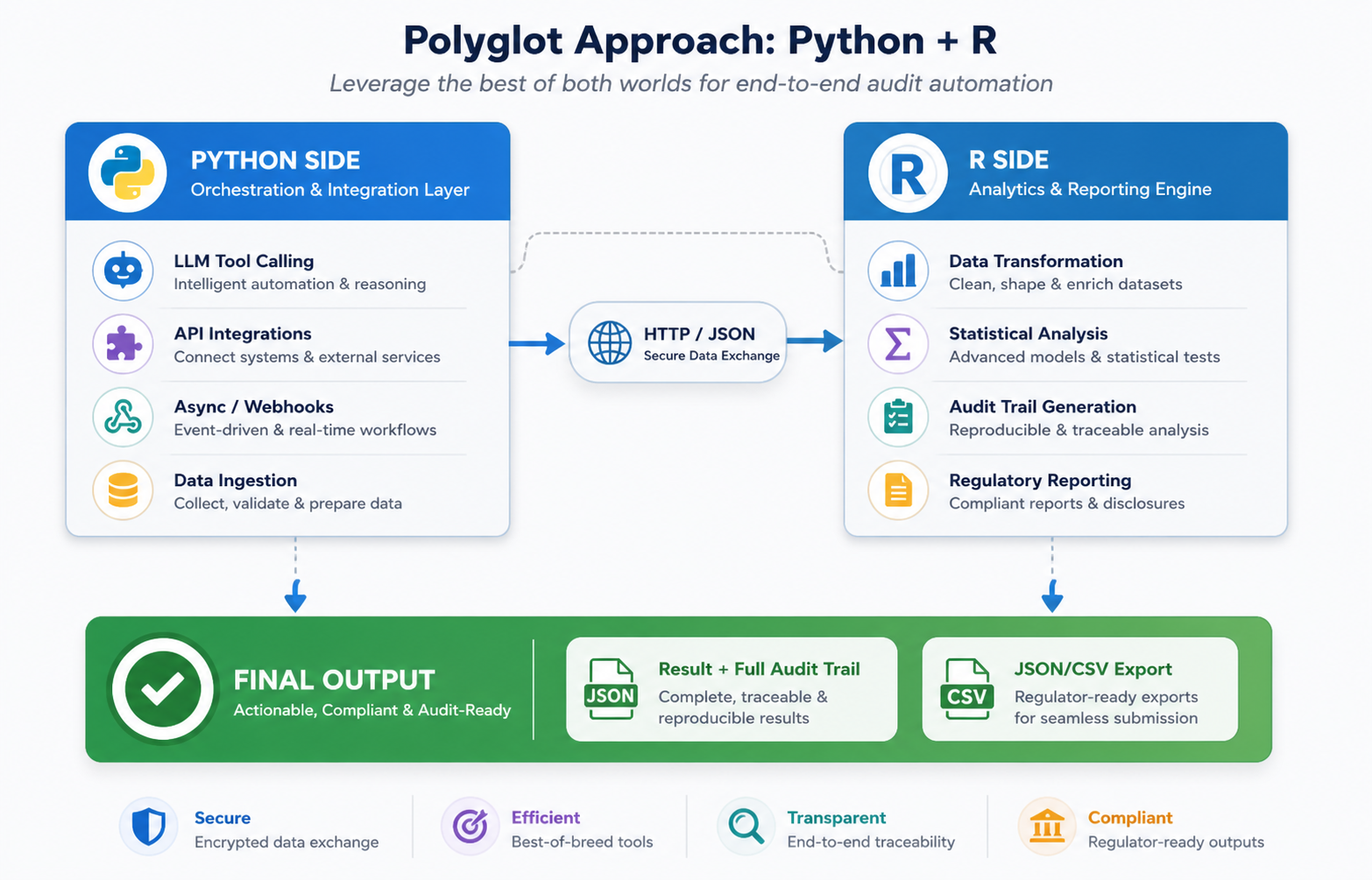
Strategy 1: The Polyglot Approach
Use Python for what it’s good at. Use R for what it’s good at.
Python handles:
- LLM tool calling (via LangChain, AutoGen)
- API integrations and webhooks
- Heavy async operations
- Data ingestion pipelines
R handles:
- Data transformation and statistical analysis
- Audit trail generation
- Regulatory reporting
- Final decision logic
How it works in practice:
# Python side (agent.py)
from langchain.agents import Agent
import requests

class DataAgent(Agent):
    def run(self, input_data):
        # Call LLM, get plan
        plan = self.llm.generate(input_data)

        # Execute tool calls
        result = self._execute_tools(plan)

        # Send result to R for analysis + audit
        r_result = requests.post(
            "http://localhost:8080/analyze",
            json={"data": result}
        )

        return r_result.json()
# R side (analyze.R)
library(plumber)
library(tidyverse)
library(ellmer)

#' @post /analyze
function(req) {
  data <- req$data$data

  # Create audit trail
  state <- list(
    history = list(),
    results = list(),
    metadata = list(
      timestamp = Sys.time(),
      version = "1.0.0"
    )
  )

  # Process with audit trail
  state <- state |>
    add_message("Received data", Sys.time()) |>
    transform_data(data) |>
    run_analysis() |>
    update_result()

  # Return result + audit trail
  list(
    result = state$result,
    audit_trail = state$history
  )
}

# Run the API
plumber::plumb("analyze.R")$run(port = 8080)
What you get:
- Python’s speed and ecosystem for orchestration
- R’s auditability for analysis
- Full traceability of the R side
Trade-off:
- You’re maintaining two codebases
- Need to handle serialization between languages
- More infrastructure to manage
Strategy 2: The Wrapper Pattern (Add Audit to Python)
You already have Python agents. You need audit trails. Don’t rewrite — wrap.
# R wrapper around Python agent
library(reticulate)

PythonAgentWrapper <- R6::R6Class("PythonAgentWrapper",
  public = list(
    python_agent = NULL,
    audit_trail = NULL,

    initialize = function() {
      # Import Python agent
      self$python_agent <- import("agent_module")$Agent()
      self$audit_trail <- list()
    },

    run = function(input) {
      # Log start
      self$audit_trail <- c(self$audit_trail, list(
        list(type = "start", input = input, timestamp = Sys.time())
      ))

      # Call Python agent
      result <- self$python_agent$run(input)

      # Log result
      self$audit_trail <- c(self$audit_trail, list(
        list(type = "result", output = result, timestamp = Sys.time())
      ))

      return(result)
    },

    get_audit_trail = function() {
      return(self$audit_trail)
    }
  )
)
What you get:
- Use existing Python agents
- Add R’s audit layer on top
- No changes to Python code
Trade-off:
- You’re adding overhead
- Python’s internal state is still opaque (you only see what you log)
- You’re logging at the boundaries, not inside the agent
Strategy 3: The Translation Layer (Build a Framework)
If you’re building a framework (not just an app), define a common interface both languages implement.
# R side: Define interface
AgentInterface <- R6::R6Class("AgentInterface",
  abstract = TRUE,
  public = list(
    run = function(input) stop("Not implemented"),
    get_audit_trail = function() stop("Not implemented"),
    export_audit_trail = function(path) stop("Not implemented")
  )
)

# Python side: Implement same interface (via reticulate or gRPC)
# class PythonAgent(AgentInterface):
#     def run(self, input): ...
#     def get_audit_trail(self): ...
#     def export_audit_trail(self, path): ...
What you get:
- Swap implementations without changing code
- Use Python for speed, R for compliance
- Consistent interface across languages
Trade-off:
- Requires both sides to implement the interface
- More upfront design
- Serialization complexity
The Decision Framework
How do you choose?
| Your Situation | Best Strategy |
|---|---|
| Already using Python, need compliance | Wrapper Pattern (Strategy 2) |
| Complex workflows, both languages needed | Polyglot Approach (Strategy 1) |
| Building a framework, not an app | Translation Layer (Strategy 3) |
What’s Actually Working in Production
Here’s the pattern I’m seeing in pharma/healthcare/finance:
- 1. R-first for clinical analysis. They use
ellmer+ R6 shell for the core logic. Full audit trail. Export to JSON/CSV for FDA. - 2. Python for everything else. Data ingestion, API calls, webhooks, heavy async work. Fast development.
- 3. Hybrid for critical paths. The parts that go to regulators are in R. The rest is in Python.
- 4. Export to JSON/CSV. Regulators get the audit trail as a file. No magic. No black boxes. Just a file they can read.
The Bottom Line
You don’t have to choose. You can have both.
- Use Python for speed when it makes sense
- Use R for transparency when it matters
- Bridge the gap with wrappers, polyglot, or hybrid patterns
The gap isn’t a wall. It’s a spectrum. And you get to decide where you sit on it.

Leave a comment